In Mobile App
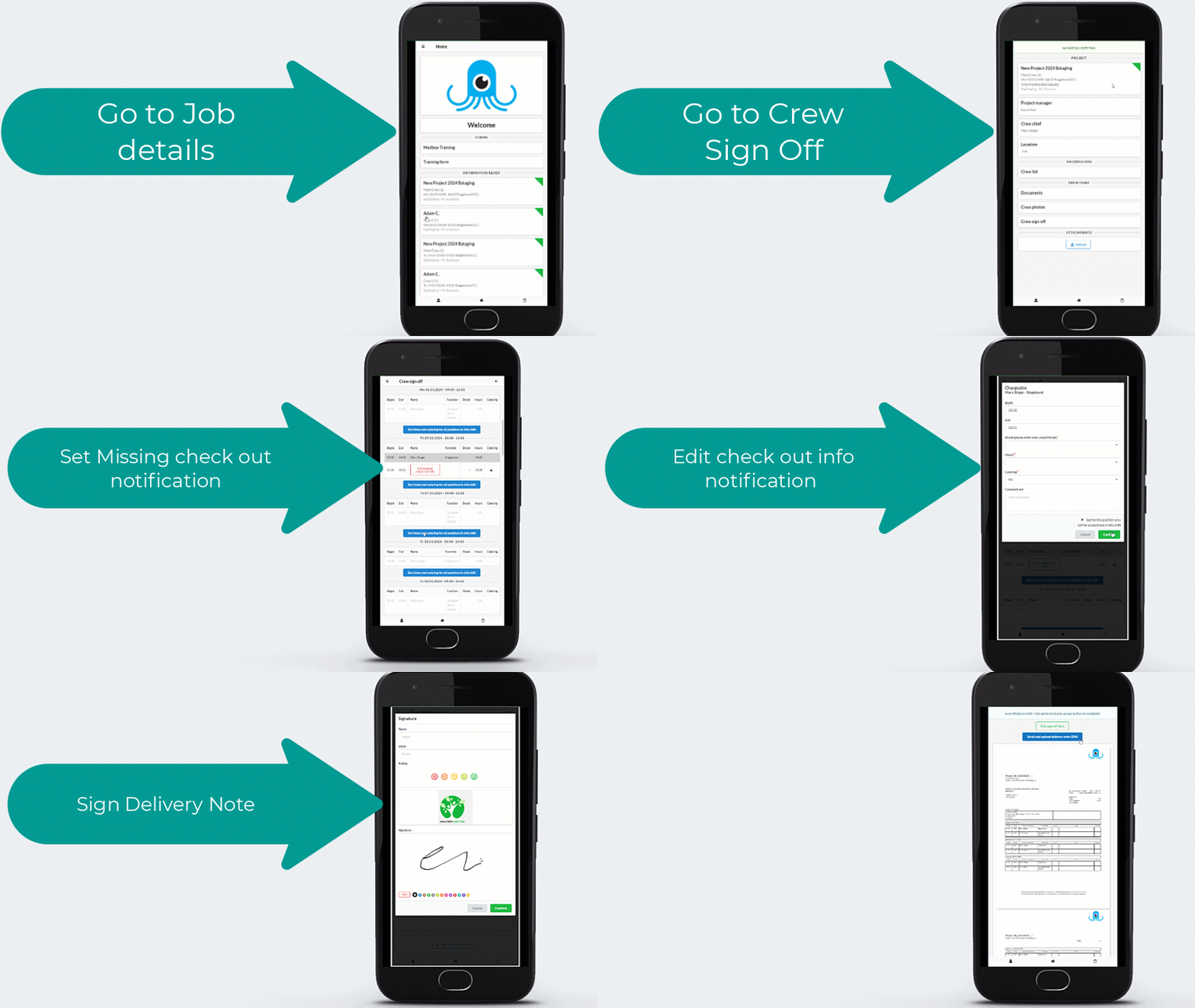
Crew sign off by signing and uploading Delivery Note
Project delivery notes can be created, signed and sent digitally and 100% paper free!
The crew sign off feature allows the crew leader to enter the hours of all crew members and generate a PDF of the DN for the client to check. The client can then add a rating and sign with their finger before the crew leader sends the document back to the office.
Signed documents will arrive in the project documents container for planners for process and be visible in the Today page Delivery Note container.
Crew Review
This module allows the Crew Chief and the Client to review all crew members who worked on a specific shift.
It can be done before or after signing the delivery note.
For each crew member, you can:
Crew memberships make it easy to build, manage, and reuse trusted crews for future projects.
In SquidWeb Desktop
Processing of Delivery note automatically
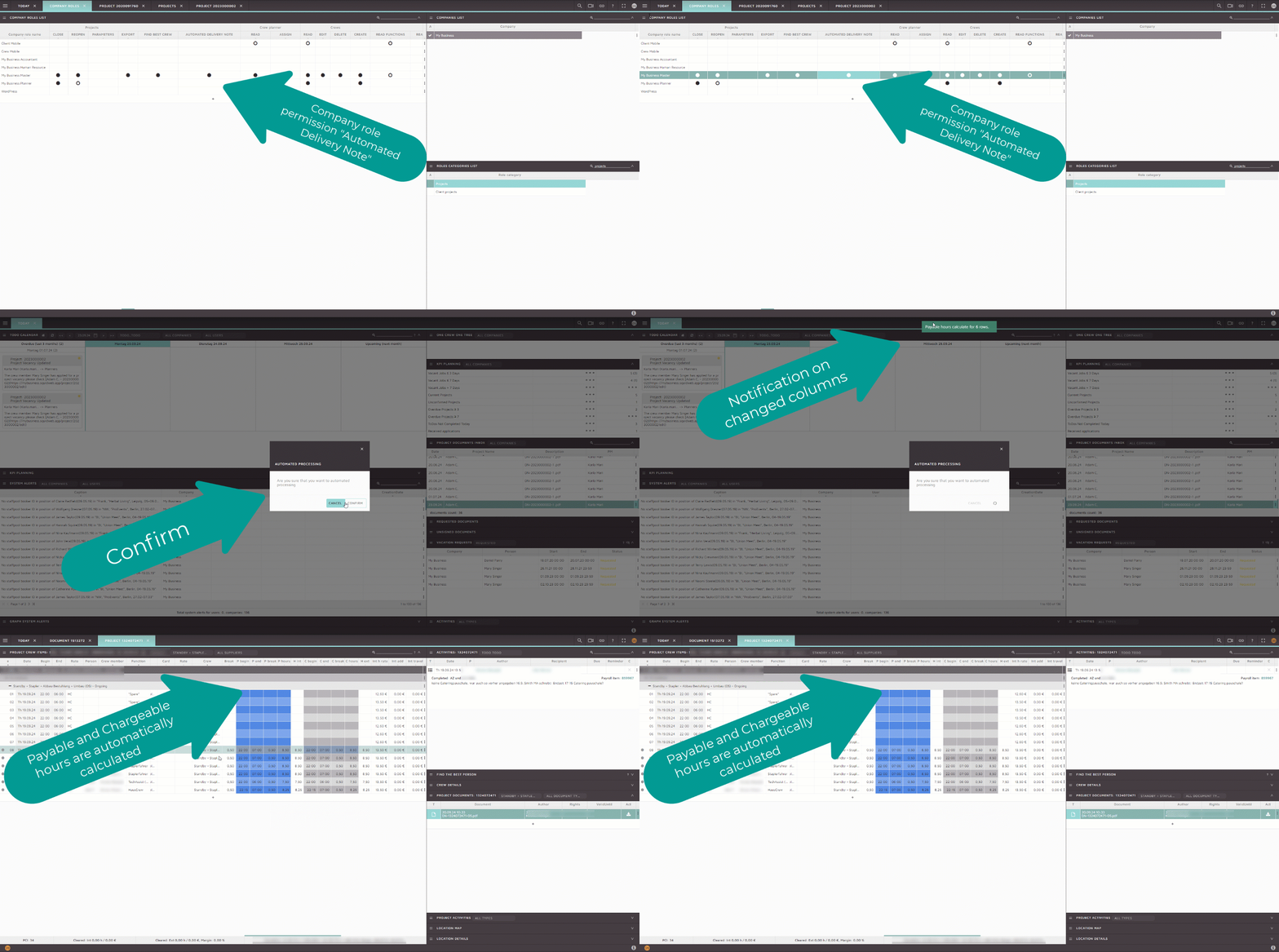
Once delivery notes are uploaded the delivery note can be processed under Project Document Inbox container. In order to see the option the permission needs to be assigned which is called: Automated Delivery Note.
By clicking “Automated Processing” under Project Document inbox container the Payable and Chargeable hours are automatically calculated. Before the visualisation can be seen under Project Crew Items table the notification of how many rows have been changed.