
Mobile Receipts
Overview
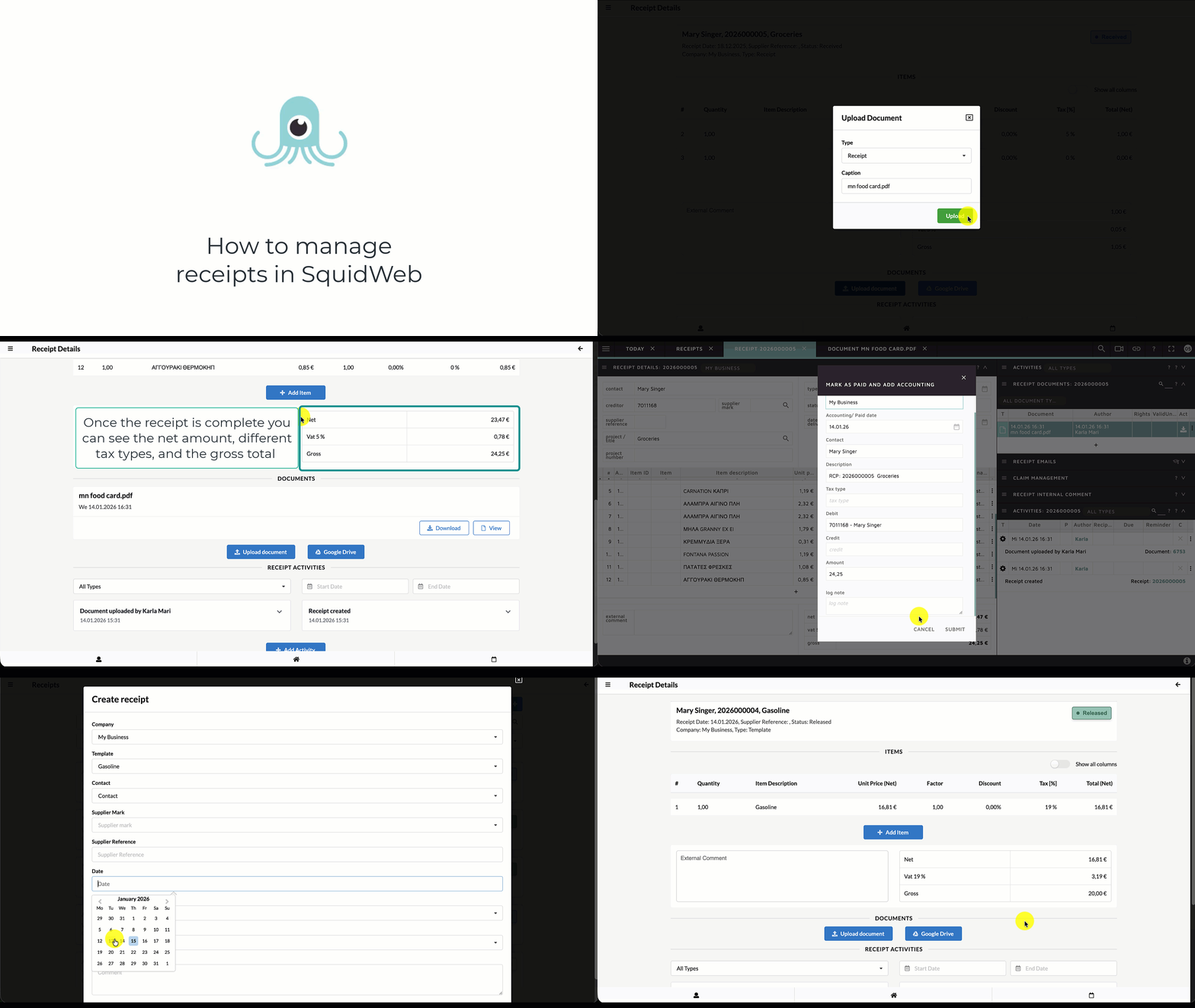
Receipts can be created directly via the SquidWeb Mobile App and are automatically synced with SquidWeb.
To use this feature, users must have the appropriate company role permissions to view and edit receipts.
Using the mobile app, users can:
-
Create new receipts
-
Upload or scan receipt documents using the device camera
-
Attach invoices or supporting documents to a receipt
When creating a receipt, users can select a template to automatically prefill key fields such as:
-
Item description
-
Tax types
-
Account and contact information
The receipt amount can be entered as gross or net using the toggle switch, and different tax types can be applied depending on the receipt and local tax requirements.
Each receipt includes status updates and an activity log, allowing users and office teams to track the progress of the receipt and all related actions.
For a step-by-step walkthrough of the mobile receipt flow, see the video tutorial: How to manage receipts in SquidWeb
Leave a Reply
Want to join the discussion?Feel free to contribute!